 ServLore
Industrial service knowledge platform
Decades of service knowledge, available to every technician.
ServLore brings manuals, service bulletins, past service cases and the experience of your experts together in one knowledge layer. When a technician enters an error code or a symptom, the AI Service Engineer answers from your own sources, shows where every statement comes from and says openly when the evidence is not enough.
Works in 17 languages, on the desk and in the field.
What we do
Scattered service information becomes knowledge that belongs to the machine and can be traced to its source.
A machine builder's service knowledge usually sits in four places: PDF manuals, service bulletins, old cases in the ticket system and the heads of experienced technicians. When a technician faces a fault on site, finding the right information often takes hours – and what they find may be outdated, contradict another document or apply to a different machine revision.
ServLore reads this material, breaks it down into error codes, symptoms, causes, resolutions, measurement ranges and procedures, and links every part to the machine model and revision. Contradictions and outdated information are flagged and put to experts for a decision. Every closed service case records which resolution actually worked.
Documents
PDF, Word, Excel, CSV, text and images. Scanned pages are read with text recognition; legacy .doc and .xls files are supported too.
Past cases
Import from ticket systems via CSV or Excel. Every case is linked to the installed asset, machine and revision.
Expert experience
Knowledge gaps turn into questions that go straight to the right expert. Answers become knowledge once they are verified.
Machine context
Product families, models, revisions, serial number ranges, components, spare parts and installed assets.
Our promise
Five concrete outcomes.
- 1
Faster problem resolution
Technicians find the right document and the next step in minutes. Similar past cases and confirmed resolutions come with the answer.
- 2
Less dependence on individual experts
What experienced experts know is kept as verified knowledge. Experts are only called in when they are really needed.
- 3
Institutional knowledge preserved
Retirement or departure no longer means lost knowledge. Knowledge capture campaigns record experience while it is still available.
- 4
More reliable technical information
Every answer shows its sources. Contradicting and outdated documents are flagged. When the evidence is not enough, the system says so instead of guessing.
- 5
A service organisation that keeps learning
Every closed case reports back which cause and which resolution actually proved right.
Safety first. For safety-critical machines, components or contradicting instructions, the assistant does not answer on its own but asks an authorised expert to decide. Your organisation sets these rules.
How the system works
Nine steps from the document to the answer on site.
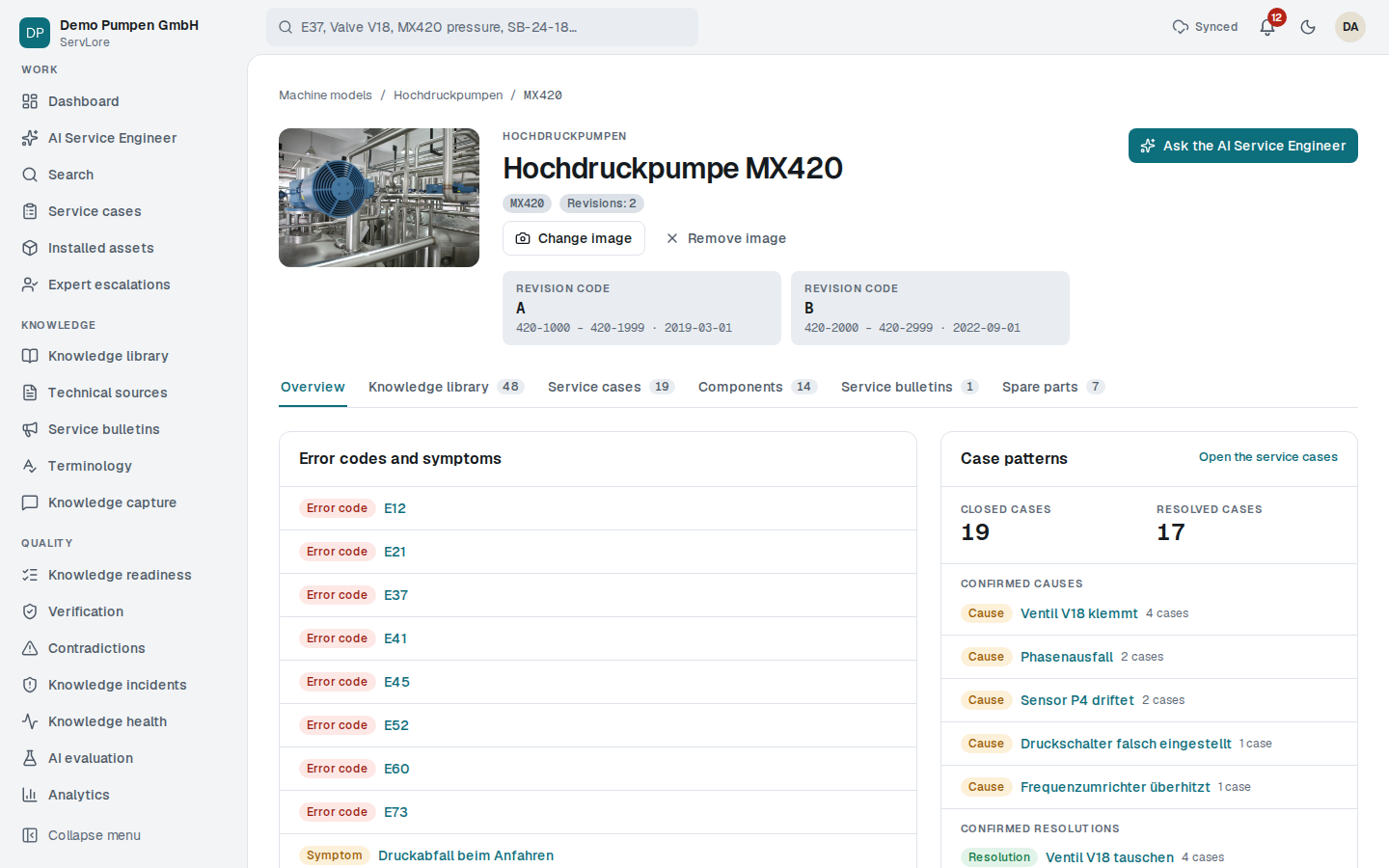
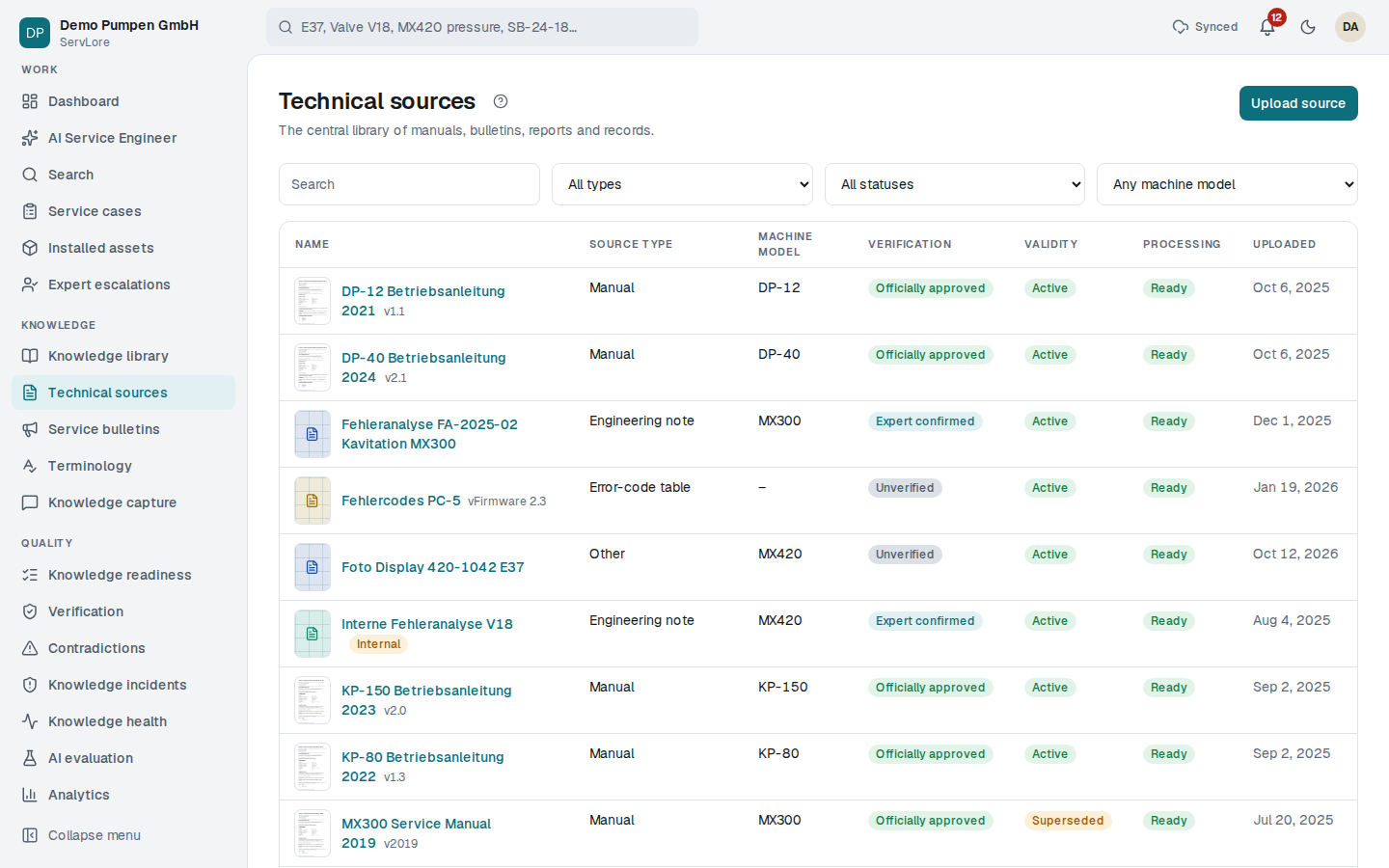
The screens come from the demo organisation “Demo Pumpen GmbH”; the data is sample data. Select a screen to open it in full size.
Step 1
Collect the sources
Existing manuals, bulletins and records are uploaded in bulk. The system reads the text, links every document to the machine model and revision, and tracks editions and which document replaces which.
Internal documents can be marked as internal; external service partners never see them.
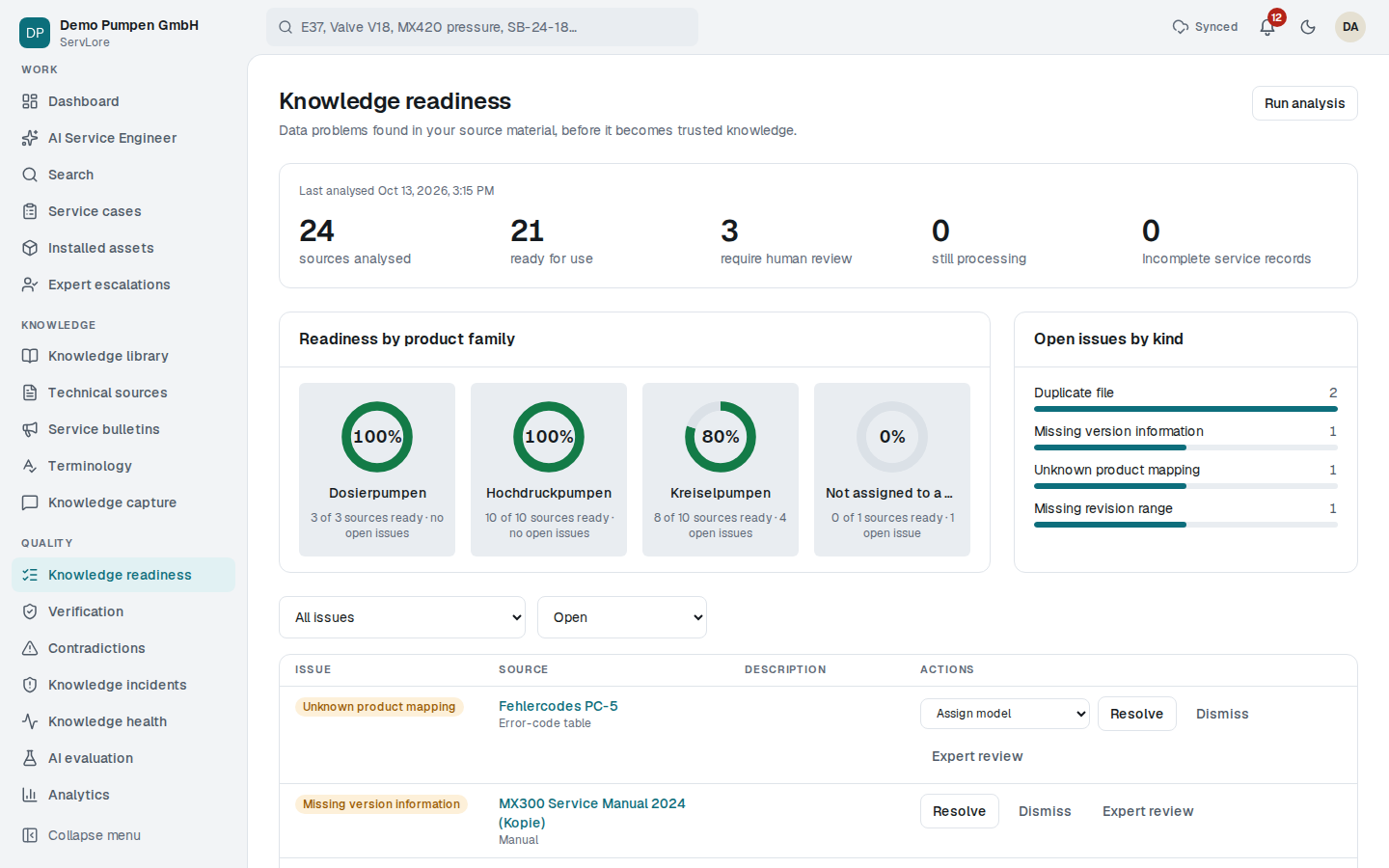
Step 2
Check knowledge readiness
Before documents become knowledge, the system checks them: is a date, edition or revision range missing, was the same file uploaded twice, can the document be read at all? Knowledge managers resolve the findings in one workspace, merge duplicates or pass doubtful documents to an expert.
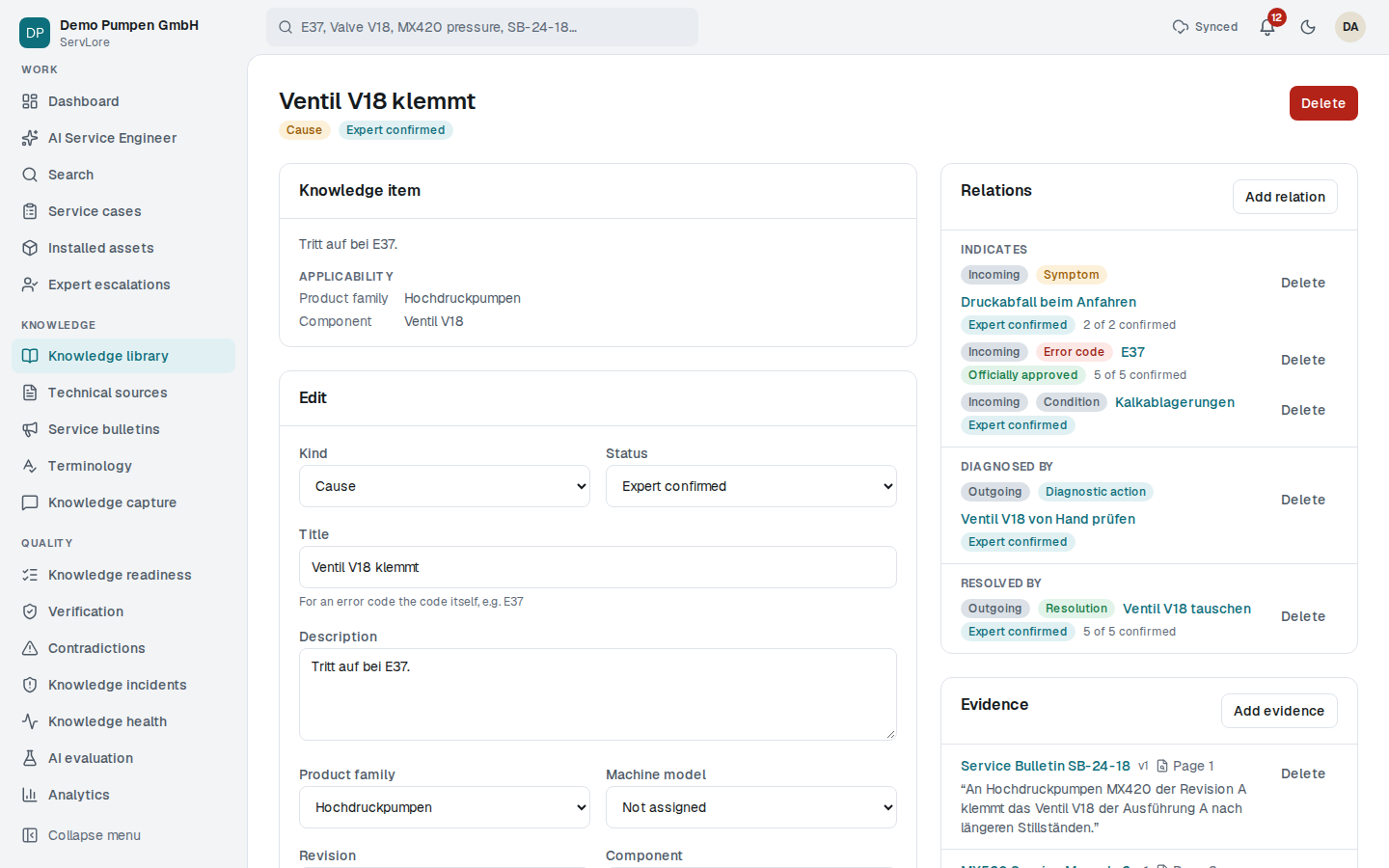
Step 3
Turn it into knowledge and verify it
Error codes, symptoms, causes, resolutions, measurement ranges and procedures become linked knowledge items. Every item has its evidence – a document page or a service case – and a verification status. Experts confirm, knowledge managers approve officially.
The organisation's own terms and unit spellings live in a glossary, so “DBV” and “Druckbegrenzungsventil” are found as the same thing.
Step 4
Catch contradictions and outdated knowledge
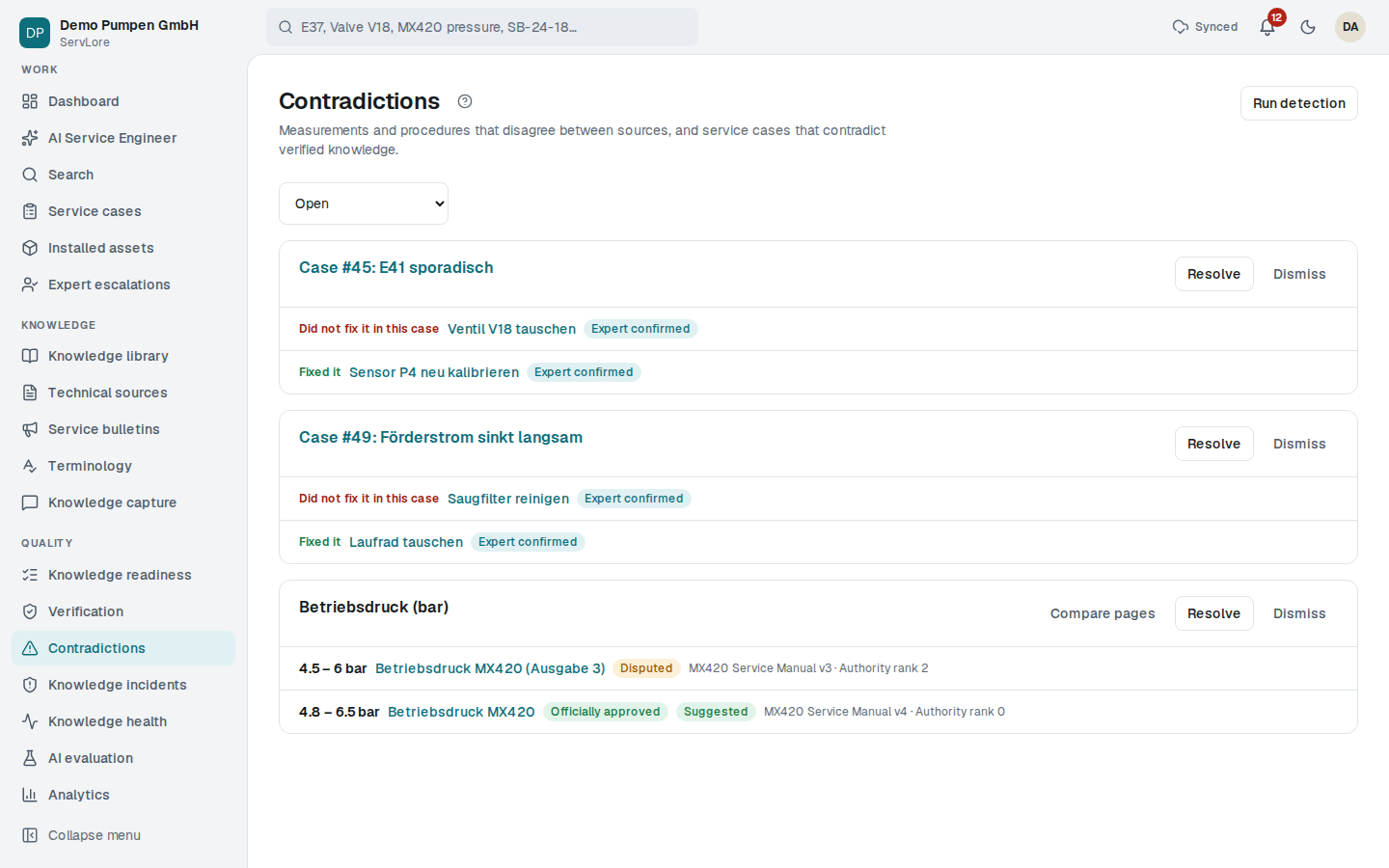
When two documents give different values for the same quantity, the system opens a contradiction. Values are compared across units (bar and psi, °C and °F). Diverging procedure steps and knowledge disproved by service cases are caught too. Knowledge from superseded documents is marked as outdated.
Step 5
Ask on site, get answers with evidence
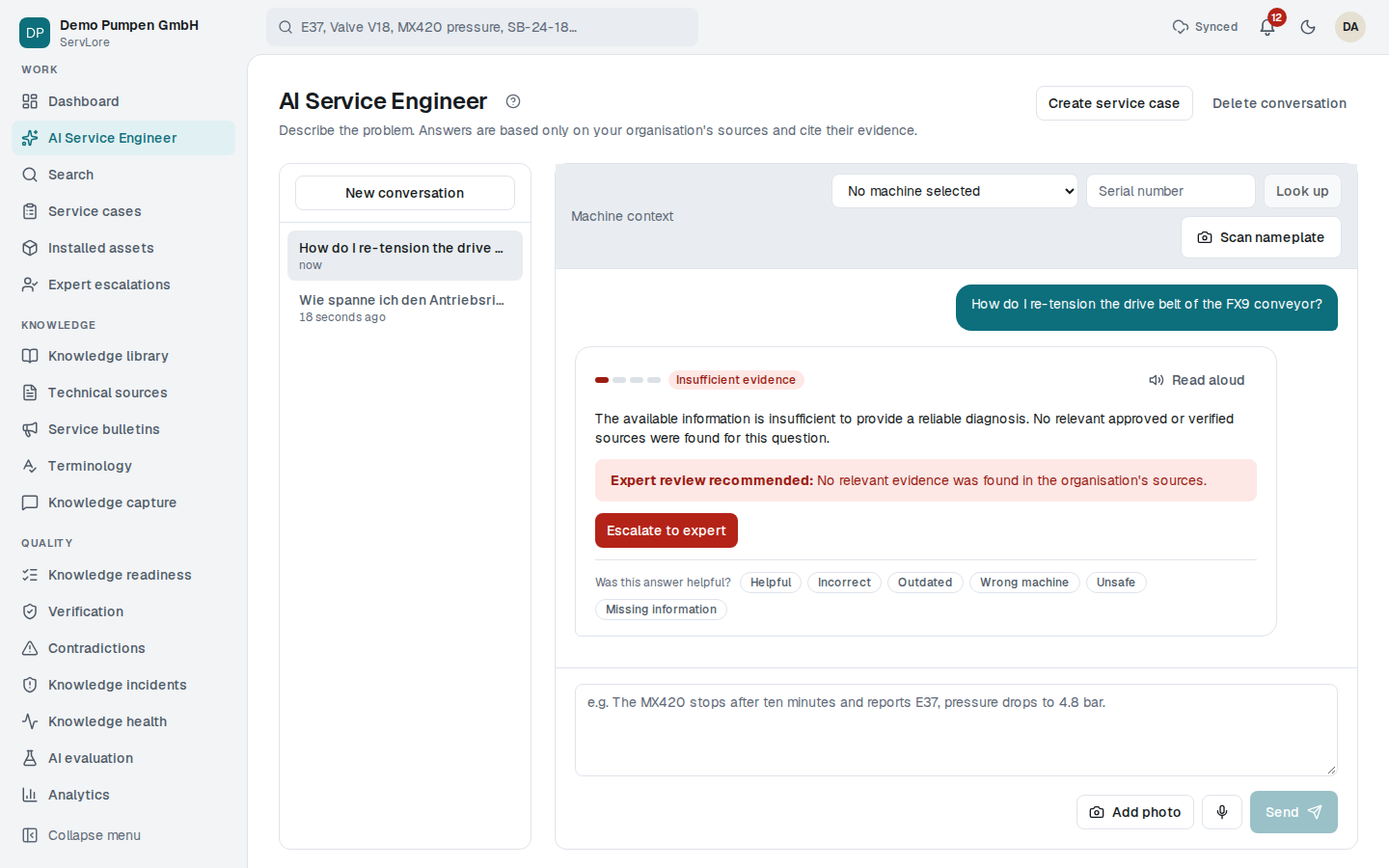
Technicians describe the problem by typing, speaking or with a photo and pick the machine by its serial number. The AI Service Engineer relies only on the organisation's sources, cites every statement, states its confidence and proposes the next step – a measurement, a question or an action. Answers can also be read aloud.
Step 6
Let every case teach
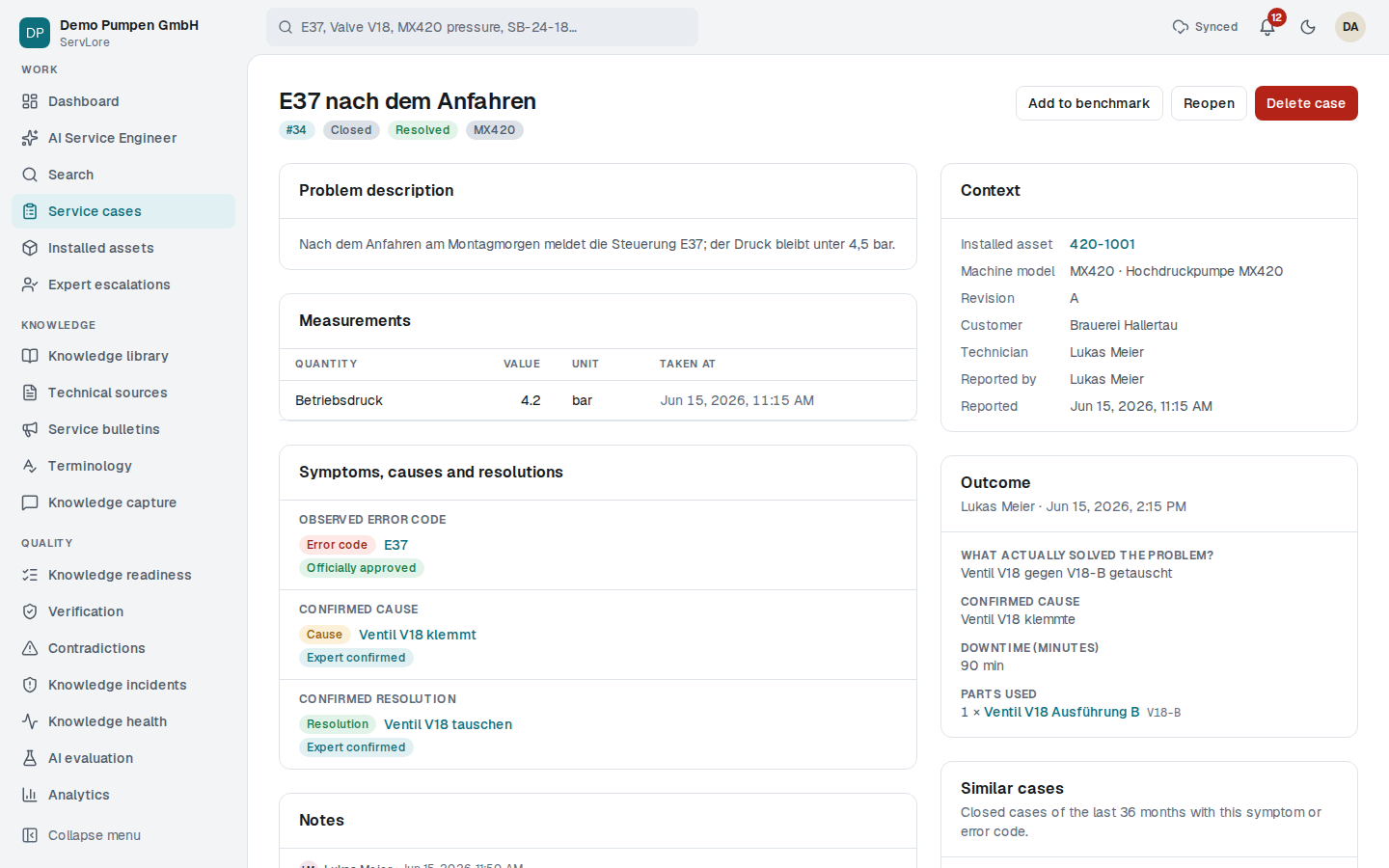
Service cases are opened with the installed asset, machine and revision; measurements and notes are added along the way. When a case is closed, the cause and the resolution that actually worked are marked. These outcomes strengthen the links in the knowledge network and come first in similar cases.
Step 7
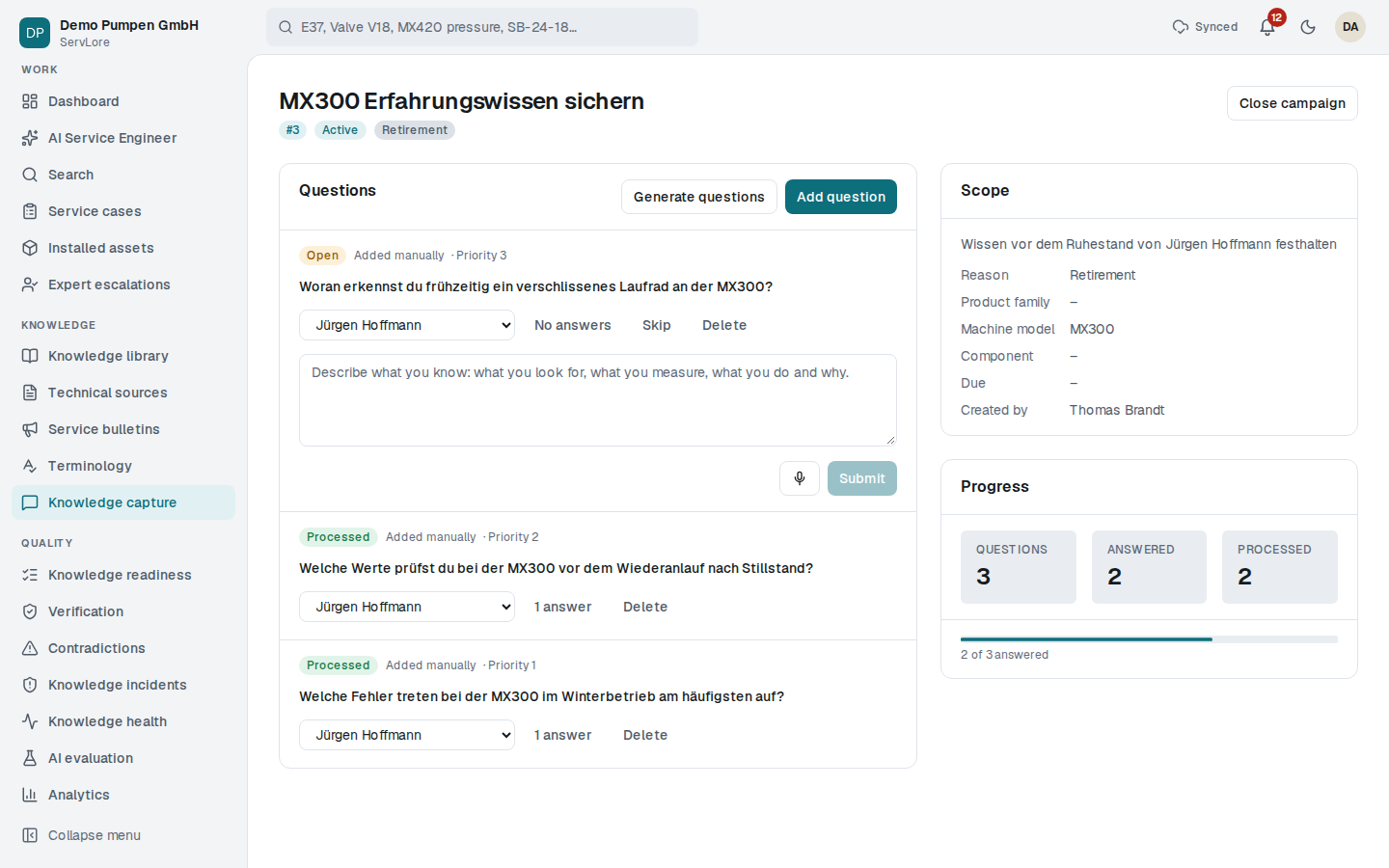
Secure expert experience
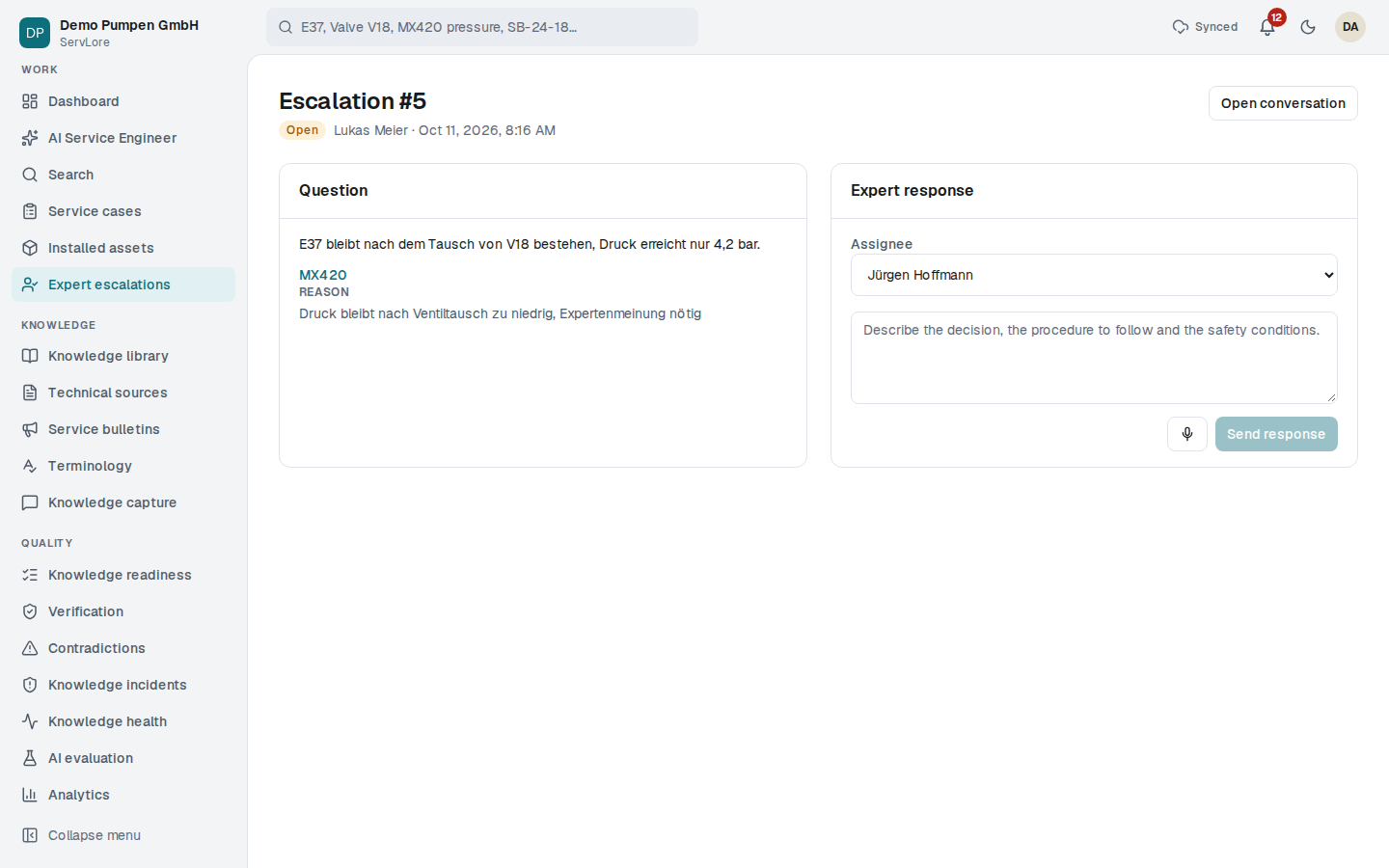
Knowledge gaps – error codes without a known cause, causes without a resolution, questions the assistant could not answer – turn into questions for experts. Experts answer in writing or by voice; the answers go to verification.
Step 8
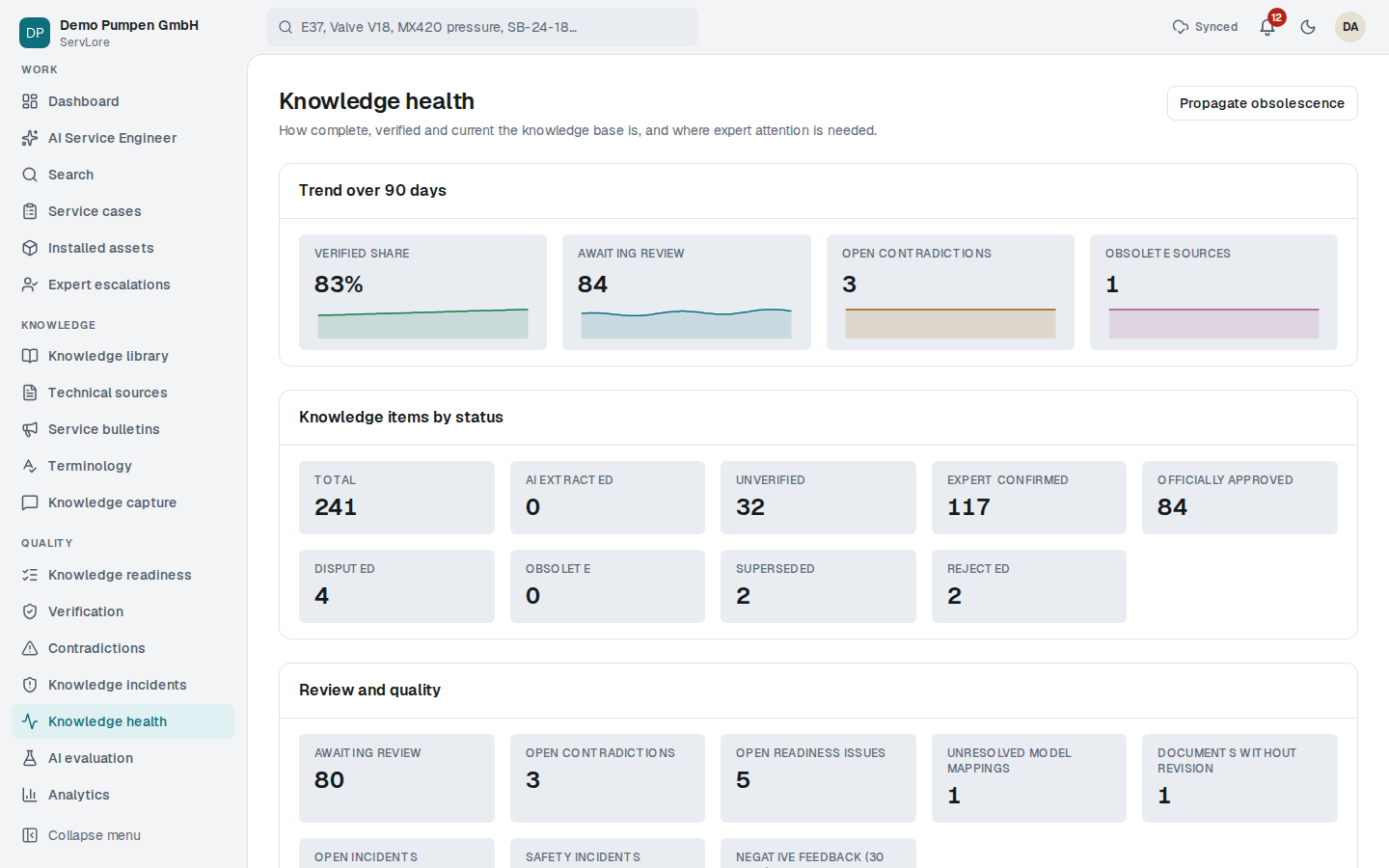
Keep an eye on knowledge health
Knowledge health shows items awaiting verification, open contradictions, documents without a revision, knowledge incidents and negative feedback. Answers that technicians rate as incorrect, outdated or unsafe are investigated as incidents.
Step 9
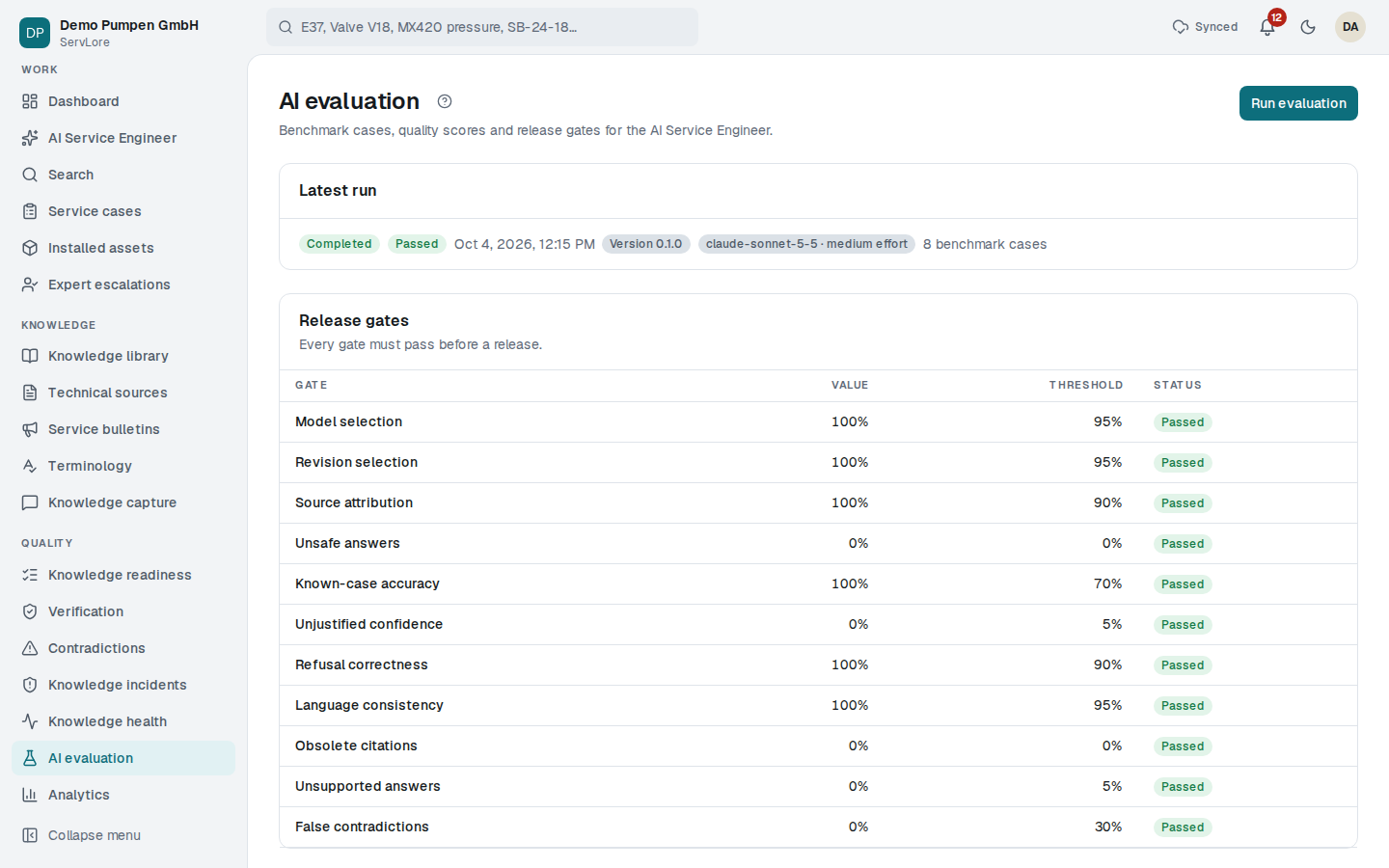
Measure the quality of the AI
Reference cases make evaluation repeatable: were the right sources, machine and revision chosen, was outdated knowledge used, did the system admit missing evidence, was a safety question passed to an expert, was the stated confidence justified? A version below the thresholds is not released.
Trust, security and data
The customer's knowledge stays with the customer.
Organisations kept apart
Each organisation's data is separated at database level. No customer sees another customer's data.
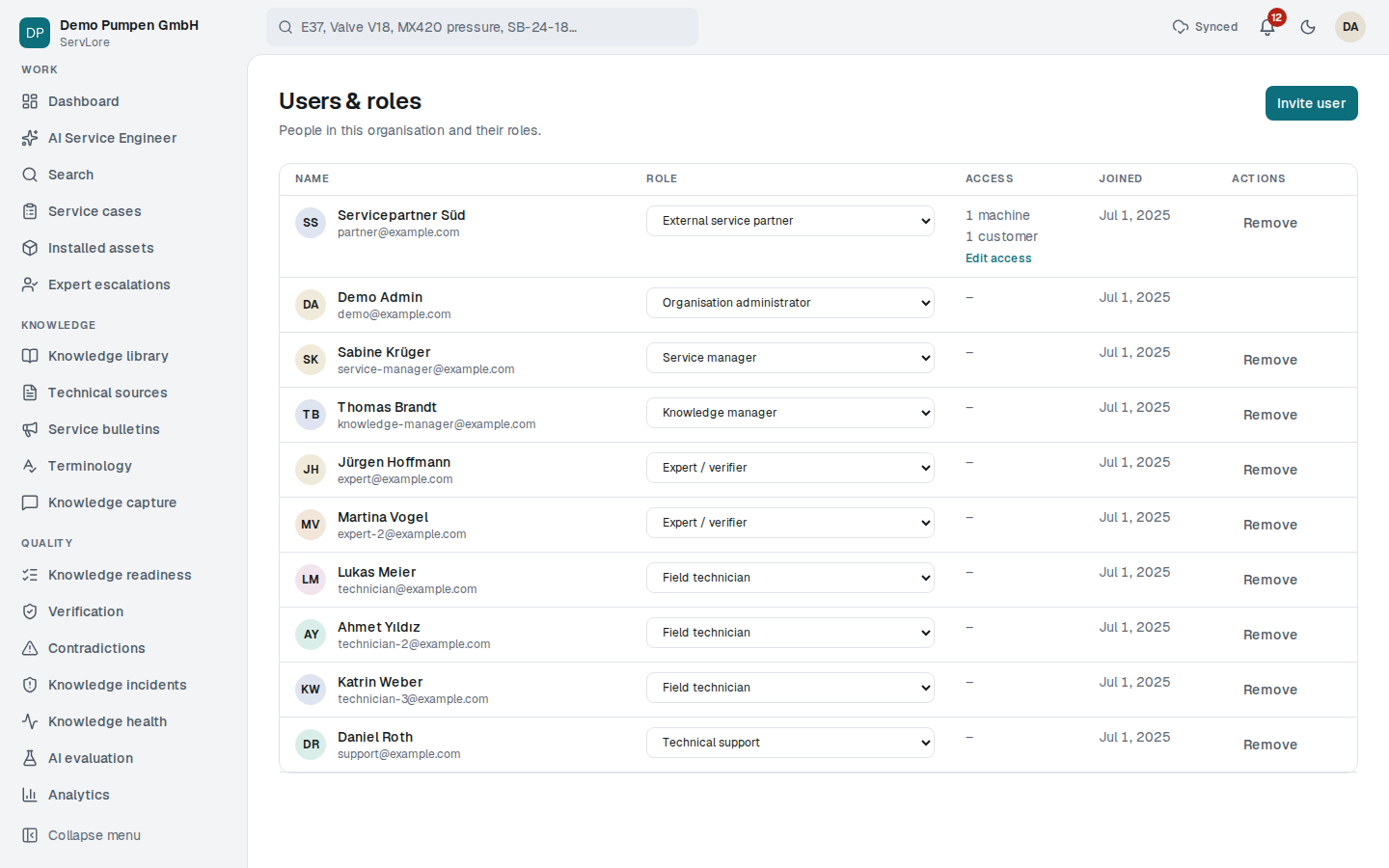
Eight roles
Organisation administrator, knowledge manager, service manager, expert / verifier, field technician, technical support, read only and external service partner.
Limited partner access
External partners only see the machine models and customers opened to them; internal documents stay hidden.
Traceable actions
Every important action is written to the audit log. Organisations can export their data or delete it completely.
Account security
E-mail confirmation, password reset and change, and a lockout after repeated failed sign-ins.
Language and voice
Interface, notifications and e-mails in the user's language. The browser's speech features can be turned off per organisation.
Pilot programme
A free pilot for the first machine builders.
We are looking for a few service organisations that want to run ServLore on their own documents and cases, free of charge.
Twelve weeks, one machine family
You choose a product family and upload its manuals, bulletins and past cases. Your technicians ask their real questions.
A report from your own numbers
At the start you give a baseline, such as minutes spent searching per case and escalations per month. The pilot report sets it against what was measured.
No cost, no commitment
The pilot is free. In return we ask for your feedback and, if ServLore works for you, a short reference.
Or write to [email protected]